
Yes! You can pay by coin at the meter. Our parking meters accept nickels, dimes, quarters, loonies, and toonies.
Park and Pay with HotSpot
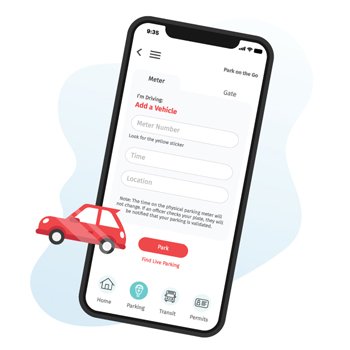
Visitors to the beautiful historic Downtown Bowmanville will soon have a new, modern way to pay for public parking. Beginning in early September, Clarington will accept mobile payments through the HotSpot Parking App, allowing residents and visitors to pay for public parking with their smartphones or by coin at the meter. The option to make mobile parking payments will also be available in all five municipal parking lots in Downtown Bowmanville.
Paid on-street parking at the meters is in effect from 9 a.m. to 6 p.m., Monday to Friday, for a maximum of two hours. Outside of these hours, including weekends and statutory holidays, parking is free but limited to three hours. On-street parking is prohibited year-round between 3 and 5 a.m.
How to pay using the HotSpot App
Get started by downloading the HotSpot Parking App from the Apple App Store or Google Play Store, then create a new account. Add your vehicle and payment information to your account, then follow the steps below:
- Open the Hotspot Parking App and tap on the "Parking" icon.
- Confirm that “Clarington” is listed as the city.
- Enter the four-digit zone number indicated on the meter sticker or parking sign.
- Choose how long you want to park.
- Tap the red "Park” button, then tap “Confirm” once you’ve reviewed your parking summary. If you don’t have payment information saved, you will be prompted to add this information before proceeding.
- Once you’ve paid, add time remotely or refund the remaining time.
- Scan the QR code on the meter sticker or parking sign near where you’ve parked.
- Choose how long you want to park.
Parking meter locations and HotSpot zones
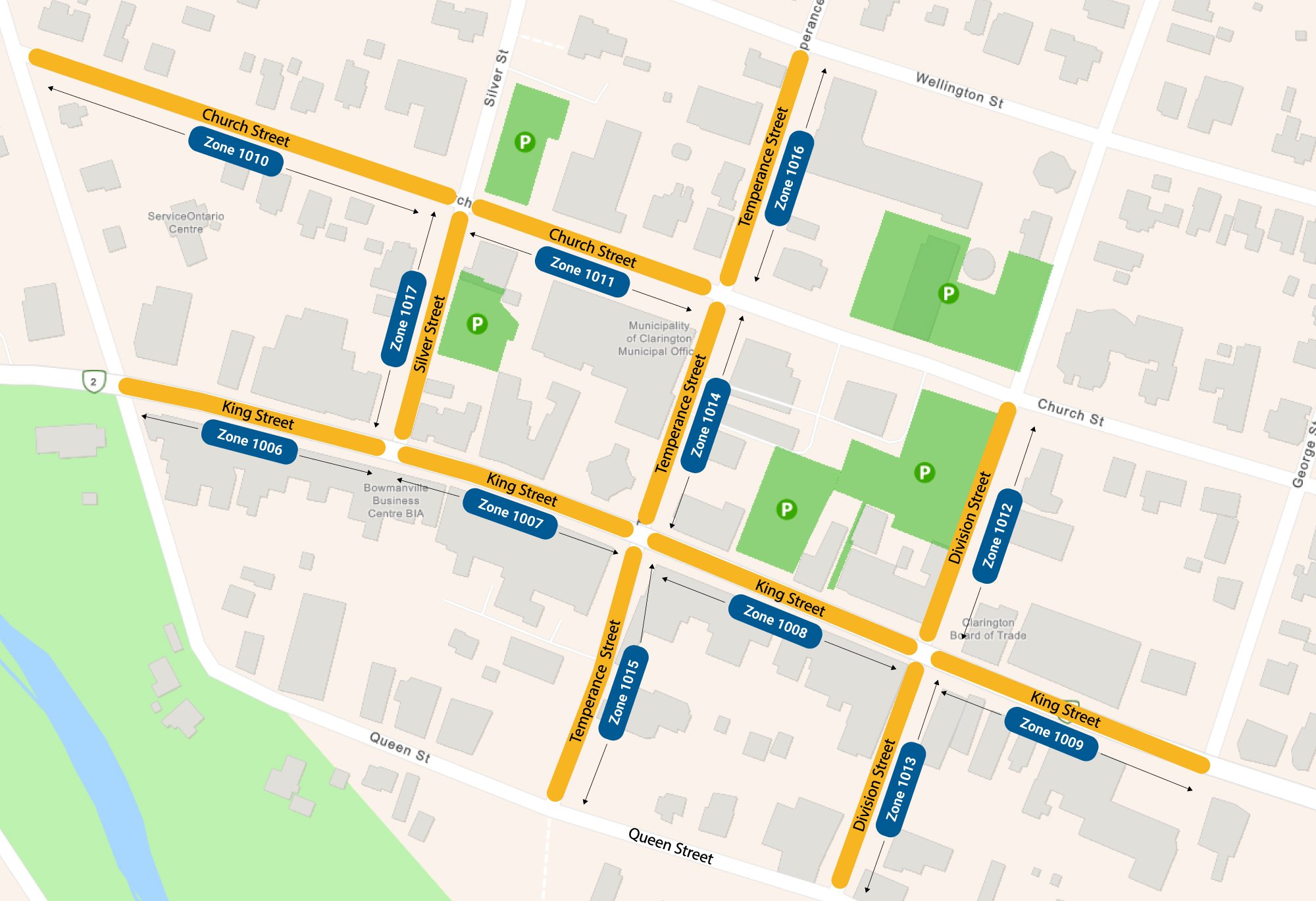
View the map below or use the interactive map to see the locations of the parking meters and public parking lots available in Downtown Bowmanville.
Benefits of using the HotSpot app
- Top up parking time and pay from your phone.
- Avoid tickets with alerts and remote top-up.
- Save money by refunding unfinished parking sessions.
- Use the app in any HotSpot community.
Frequently asked questions
Get answers to some of the most commonly asked questions below or view HotSpot’s comprehensive list of FAQs.
Do I need to download the app?
No. The app has many convenient features, but you can also pay by scanning the QR code on the parking sign in your zone or the parking meter sticker. Note that you cannot top up or refund time unless you use the HotSpot app.
What if I have trouble using the app?
If you have trouble using the app, you can pay by coin or try scanning the QR code to pay through the HotSpot website. HotSpot Support is also available seven days a week at 1-855-712-5888 or support@htsp.ca.
There are 11 on-street parking zones and five municipal parking lot zones. Large parking signs and parking meter stickers will display the zone number you’re in.
Do I now have to pay to park during evenings and weekends?
No. You can park for free on weekends and on weekdays after 6 p.m. for up to three hours.
Need help?
HotSpot Customer Support is available seven days a week at 1-855-712-5888 or support@htsp.ca.
Contact Us
Address: 40 Temperance Street, Bowmanville, ON L1C 3A6
Phone: 905-623-3379
TTY: 1-844-790-1599


